
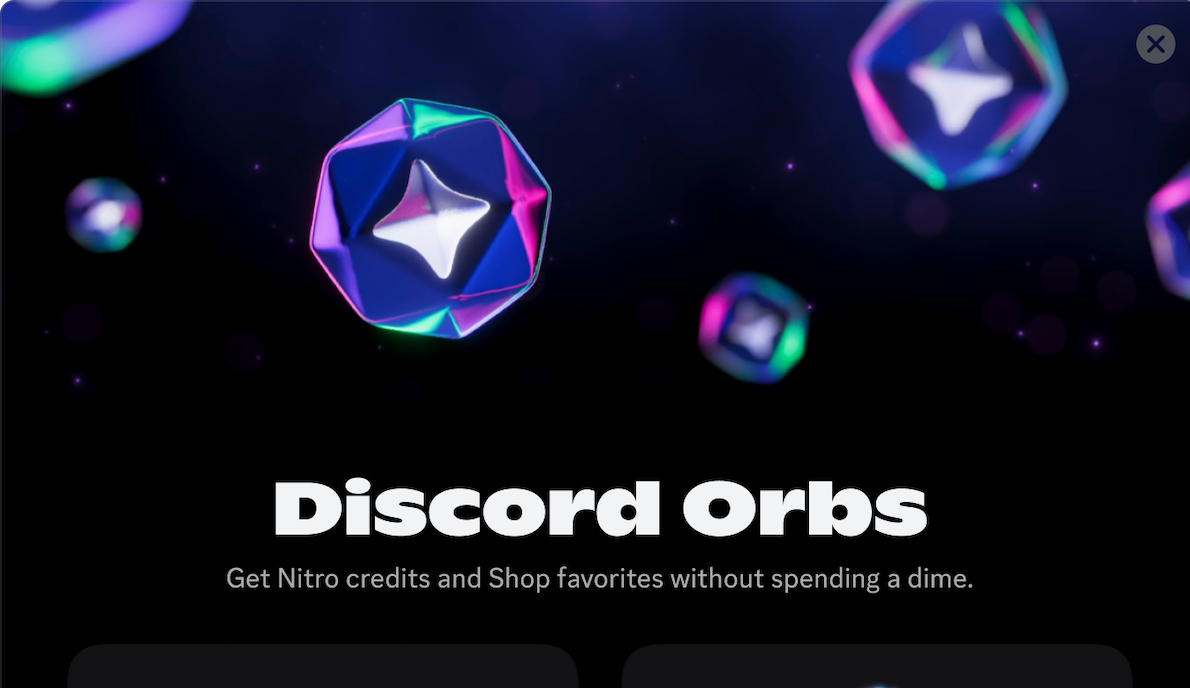
Discord Orbs Guide 2026: Quests, Nitro & Rewards
Learn how Discord Orbs work in 2026: where to find Quests, earn and spend Orbs, claim Nitro Credits, and understand current limits and rewards.

Discord Orbs are an official reward currency you earn through eligible Discord Quests. They are not a crypto token, a cash balance, or something another user can send you. You complete a Quest, claim the Orbs, and spend them inside Discord’s Shop on eligible items.
For people who want to try Nitro without starting a normal paid subscription, Orbs matter because the Shop can offer Nitro Credits. They also give Discord users a real in-app path to profile cosmetics and an Orbs badge without following a random giveaway link.
Quick Answer: What Are Discord Orbs?
Discord Orbs are account-bound virtual rewards earned from Quests. You can spend them in the Discord Shop on qualifying main-collection items and Orbs-exclusive items, including Nitro Credits, an Orbs profile badge, a special avatar decoration, and a special profile effect.
Important limits:
- Orbs cannot be converted to cash.
- Orbs cannot be gifted or transferred to another account.
- Earned Orbs do not expire.
- Orb purchases are final and cannot be refunded.
- You cannot use Orbs for gifts, partner-branded Shop items, recurring Nitro, or Server Boosting subscriptions.
How to Earn Discord Orbs
You earn Orbs by completing a Quest that specifically lists Orbs as its reward. Not every Quest offers them, and the amount can vary by campaign.
Desktop and Browser
- Open Discord and select Discover > Quests.
- You may also see a Quest bar in the bottom-left when you are eligible for a Quest.
- Open a Quest and check its reward, device requirements, deadline, and instructions.
- Select Accept Quest before you start the activity.
- Complete the requirement and claim the reward.
- Check your balance in the top-right corner of Quest Home or the Shop.
Mobile
- Tap your profile avatar.
- Open Settings > Quests, or tap Orbs Balance if it appears on your profile.
- Accept an eligible Quest, complete it, and claim the Orbs.
Quests can involve playing an eligible game, streaming, watching content, or another campaign-specific activity. Do not assume a Quest will track if you do the task before accepting it. Open the details first and follow the exact requirement.
Quick tip: screenshots are useful for longer Quests. Save the Quest requirements and your completed milestone in case the reward does not appear when expected.
How to Spend Discord Orbs
On desktop or browser, open the Discord app icon in the upper-left, select Shop, then choose Orbs Exclusives. You can also look in the Shop’s main collection for items that display an Orbs price.
On mobile, open your profile, select the Shop icon, then use the Shop menu to find Orbs Exclusives.
Open the item’s details before deciding whether it accepts Orbs: the browsing grid can show a monetary price even for eligible items. If the item details offer no Orbs option, do not plan around buying it with Orbs. Not every cosmetic or partner collection qualifies.
What You Can Buy
Discord currently lists these categories as eligible when available:
- Some main-collection Shop items
- Nitro Credits
- The Orbs profile badge
- An Orbs-exclusive avatar decoration
- An Orbs-exclusive profile effect
The exact Shop selection can change. Check the price and confirmation screen before spending, because Orb redemptions are final.
What You Cannot Buy
You cannot use Orbs for:
- Nitro or Shop gifts for other people
- Partner-branded Shop items
- A recurring Nitro subscription
- Server Boosting subscriptions
This is the difference between Orbs and normal currency. They let you claim some Discord rewards, but they are not a replacement for a payment method or gift code.
Discord Orbs and Free Nitro
The Nitro-related reward to look for is Nitro Credit, not an endless Nitro subscription. Discord’s current Nitro guide lists a three-day Nitro Credit for 1,400 Orbs, though Shop prices and availability can change.
Nitro Credits give Nitro for a limited period and do not become a recurring subscription. If you have no existing Nitro subscription, they activate automatically when earned. If you already have Nitro, they begin after your current billing cycle.
Credits also stack and do not expire. But they have a few important limits: active Nitro Credits do not include the two free Server Boosts, the extra-boost discount, the Nitro profile badge, or Share Nitro trials.
For the wider picture of official promotions, gifts, trials, and reward platforms, read our free Discord Nitro safety guide.
Nitro Member Orb Benefits in 2026
Discord added two Orbs-related Nitro benefits in 2026, though eligibility matters.
Eligible paid Nitro subscribers receive a 1.2× multiplier on Quests that award Orbs, starting with qualifying Quests from May 8, 2026. This multiplier is available to normal Nitro subscriptions, including gifted and trial Nitro, but not to Nitro Basic or Nitro Credits.
Discord also has a Monthly Orbs Drop experiment. Eligible paid Nitro members who subscribed through desktop, browser, or mobile web receive 250 Orbs each month while their subscription stays in good standing. Not every account will see the experiment immediately, so do not assume it is missing because your app is broken.
These are Nitro benefits, not a way to get your first Nitro for free. They matter mostly if you already subscribe and want to build Orbs faster for Shop items or future credits.
Can You Get the Orbs Badge?
Yes. The Orbs badge is an Orbs-exclusive profile item that you can buy in the Shop when it is available to your account. It is separate from earning your first Orbs or completing a Quest.
Discord currently says the badge cannot be removed once claimed. If you are collecting profile badges, read our updated Discord badges guide before spending, especially if you prefer a clean profile.
Common Discord Orbs Problems
I Do Not See Any Quests
Not every account has an eligible Quest at the same time. Quest availability can depend on country, platform, campaign, age, account eligibility, and the game or offer itself. Check Quest Home on desktop or browser and the Quests section on mobile, but do not install random apps or join spam servers because someone claims they can “unlock” Quests.
My Quest Did Not Track
First, reopen the Quest details and confirm that you accepted it before doing the task. Check the exact device requirement, game, duration, stream condition, and deadline. Some Quests only work on a specific Discord client or platform.
For a step-by-step diagnosis and a support-request template, follow our guide to Discord Quests not showing or tracking. It separates availability, activity tracking, and reward claiming so you can check the stage that actually failed.
I Cannot Find Nitro Credits in the Shop
Nitro Credits are an Orbs-exclusive item, but Shop availability can change. Check Shop > Orbs Exclusives on desktop or browser. If you do not see an Orbs price, it is not currently available to claim on your account.
Can I Send Orbs to a Friend?
No. Discord says Orbs remain attached to the account that earned them. Anyone offering an Orb transfer, account sale, or Orbs-to-cash trade is not describing an official feature.
Final Takeaway
Discord Orbs are one of the few official ways to earn Discord rewards through normal in-app activity. Complete eligible Quests, claim the Orbs, and spend them only through Discord’s Shop.
They are not fast cash and they cannot be transferred, but they can be a genuinely useful route to profile items and limited Nitro Credits. Keep an eye on Quest Home, read the reward before accepting, and do not let a fake “free Orbs” message turn a safe feature into an account-security problem.
Sources Checked
Reviewed on July 17, 2026:
Share this article
Related Articles
Discord Nitro Credits: How They Work and How to Get Them
Discord Nitro Credits explained: how to earn them with Orbs or Quests, when they activate, which perks they miss, and how they affect your subscription.
How to Get Free Discord Nitro In 2026: Legit Methods
Learn how to get free Discord Nitro through Quests, Orbs, gifts, trials, promotions, and NitroLoot rewards, including scams and renewal traps to avoid.