
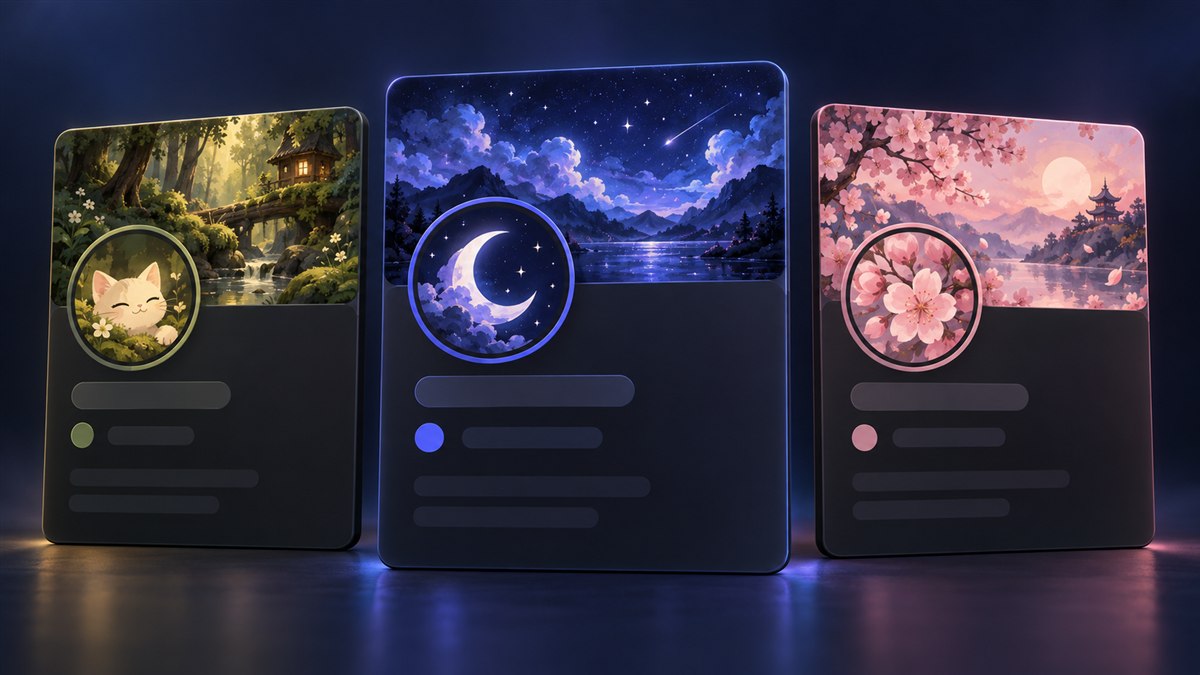
Discord Profile Ideas: 6 Matching Themes to Try
Build a matching Discord profile with six aesthetic ideas, color palettes, avatar tips, and copyable bios. Includes free setups and optional Nitro upgrades.

A good Discord profile usually has one thing working in its favor: everything looks like it belongs together. The avatar, colors, and bio tell the same little story. Buying another animated effect won’t help much if each part pulls in a different direction.
These six Discord profile ideas give you a starting palette, an avatar direction, and a short bio you can copy or adapt. Each works as a simple setup, with optional banner and decoration ideas if you want to take it further. Pick the one that fits how you actually spend time on Discord.
The cover shows illustrated profile concepts, not screenshots or specific items for sale in the Discord Shop.
Choose a Discord Profile Aesthetic
Start with a mood you will still enjoy next week. A quiet forest profile suits someone who shares cozy games and book recommendations. A sharp neon profile might fit the friend who is always organizing another ranked session.
| Profile idea | Base color | Accent color | Avatar direction |
|---|---|---|---|
| Midnight sky | #171B38 |
#A7B6FF |
Moon, constellation, or softly lit portrait |
| Cozy forest | #243B32 |
#C4D6A4 |
Cat, mushroom, leaf, or woodland character |
| Sakura afternoon | #573F4D |
#F2B8C6 |
Blossom, soft portrait, or simple illustration |
| Neon arcade | #18172B |
#61E8E1 |
Pixel character or bold geometric icon |
| Monochrome minimal | #25262B |
#D9DCE3 |
Clear silhouette, line art, or initials |
| Sunset coast | #44364D |
#F5B895 |
Sun, wave, or warm-toned portrait |
These are our suggested art palettes, not official Discord presets. Use them when choosing or making an avatar and, where your account supports it, when setting profile colors. They aren’t instructions to recolor every part of Discord’s interface.
You can start with a static avatar and a short About Me. Full Nitro adds custom banner uploads, animated avatars, and profile theme colors. Discord explains those features in its Custom Profiles guide. Every idea below includes a version that doesn’t depend on those extras.
Calm Profile Ideas: Midnight Sky and Cozy Forest
1. Midnight sky
Choose an avatar with a single bright subject: a crescent moon, a star, or a face lit by a cool blue light. Leave space around it so the circular crop doesn’t cut through the main shape. Tiny constellations can look lovely in a large image but disappear beside a message.
Use navy as the base and pale periwinkle as the accent. If you add a banner, try a wide sky with most of the detail toward the upper edge. A simple horizon helps the avatar stand out without making the entire profile feel empty.
Bio to adapt: Probably in a late-night call. Space games, slow playlists, and one more match. Change the interests to your own; the point is to give a friend something easy to start a conversation about.
Free setup: a static moon avatar and that short bio are enough to establish the mood. Optional upgrade: a quiet star or cloud decoration, if one you like is available. Preview it against the avatar before buying; a bright ring can overwhelm a delicate moon.
2. Cozy forest
Start with moss green, cream, and one warm detail. A cream cat, little mushroom, or illustrated leaf will stay readable against a dark green background. Keep the subject large enough that it still works in the member list.
For a banner, think about a woodland path or a sunlit clearing rather than a collage of every cozy thing you like. Repeating the same green in your avatar and artwork makes the combination feel intentional even when the images came from different places.
Bio to adapt: Cozy games, ambitious gardens, and a suspicious number of unfinished side quests. It has a clear mood while still saying something about the person behind the profile.
Free setup: use a simple woodland avatar with warm highlights. Optional upgrade: foliage or gentle particles can work well around it. Give yourself room to skip the effect entirely if the artwork already has lots of leaves and flowers.
Colorful Profile Ideas: Sakura Afternoon and Neon Arcade
3. Sakura afternoon
The trick with a pink profile is giving it some depth. Pair soft rose with a muted plum base instead of making everything the same pale pink. A blossom silhouette or portrait with a plain background will hold its shape at a small size.
A banner with branches in one corner and open sky across the rest leaves room for the profile’s other elements. If your avatar already contains a face and flowers, choose a less detailed banner. You don’t need a second focal point directly behind the first.
Bio to adapt: Collecting good stories, pretty skies, and songs to send my friends. If you want an anime-inspired profile, use artwork you made or have permission to use and choose a crop that leaves the character recognizable.
Free setup: a pink-and-plum static avatar carries the theme. Optional upgrade: a matching profile color or blossom decoration adds continuity. Avoid choosing a cosmetic just because its thumbnail is pink; check whether its animation introduces another strong color.
4. Neon arcade
Use a dark purple base and one electric accent. Cyan is an easy starting point because it stays distinct from the purple without requiring a rainbow of highlights. A pixel character, controller-shaped drawing, or geometric symbol makes a stronger small avatar than a full game screenshot.
Keep edges clean. If you’re creating pixel art, inspect the exported image for blur before uploading it. A simple two-color design often survives resizing better than a tiny character surrounded by a complicated game level.
Bio to adapt: Here for co-op chaos. Bring a controller and a questionable strategy. Add the game you currently play if you’d like people to invite you to something specific.
Free setup: a static pixel avatar and playful bio establish the look. Optional upgrade: choose one animated element, such as the avatar or a decoration. Test whether you still recognize the character during the animation, not only in its best frame.
Simple Profile Ideas: Monochrome and Sunset Coast
5. Monochrome minimal
This is a useful choice if you want your profile to look tidy in gaming, study, and work-related servers. Start with charcoal and a light gray. Pick a silhouette, your own line drawing, or one or two initials with plenty of space around them.
Check it in both Discord’s light and dark appearance. A dark icon with a transparent background can disappear against a dark surface; giving it a solid background creates a more predictable result. Small details should support the shape, not carry the whole design.
Bio to adapt: Building things, learning slowly, and always up for a good recommendation. For a more practical profile, replace the general interests with your project or the reason people know you.
Free setup: this theme needs very little beyond the avatar. Optional upgrade: a restrained frame or effect can add texture, but leaving the profile still and uncluttered is also a complete design choice.
6. Sunset coast
Use warm peach against muted purple, then choose one coastal element: a sun, wave, sailboat, or portrait with evening light. Keep bright orange to a small area so the profile feels warm without becoming visually loud.
For a banner, a broad horizon gives you a natural composition. Place the most interesting part away from where the avatar overlaps. You can also use a photograph you took yourself; matching the avatar’s colors to your own photo makes the profile more personal.
Bio to adapt: Chasing the next good view. Usually around for a relaxed game and a long conversation. A small personal detail, such as your favorite co-op game, will make it feel more like you.
Free setup: a warm static avatar and a relaxed bio are enough. Optional upgrade: a subtle water or light effect can support the theme. Preview the full animation so a dramatic opening doesn’t hide the calm artwork underneath.
Match Your Avatar, Banner, and Decorations
Build around the piece you like most. If that’s your current avatar, sample a background color from it and choose everything else to support that color. If it’s a decoration you already own, simplify the avatar until its face or symbol remains clear inside the border.
An Avatar Decoration, Profile Frame, and Profile Effect occupy different parts of the profile. Our Discord profile decorations guide explains the differences so you can choose the right finishing touch.
Use this order when putting a theme together:
- Pick the avatar and check its circular crop.
- Choose a base color and one accent from the artwork.
- Add a short bio that sounds like you.
- Add a banner if your account supports it.
- Preview one cosmetic at a time against the completed profile.
If an image looks blurry or the crop keeps hiding the subject, use our Discord image sizes and cropping guide. Fixing the source image is more useful than trying to cover the problem with an effect.
You can also start with items you already own. If you’d like to explore official reward options, our free Discord decorations guide explains Quests, Orbs, and the difference between permanent and temporary rewards.
Preview Your Profile Before Calling It Done
Look at the avatar beside an ordinary chat message, then open the full profile. Those views answer different questions: can friends recognize you quickly, and does the larger design feel coherent?
Keep the About Me brief. Discord currently allows up to 190 characters, including formatting and links. A couple of useful details usually work better than a wall of decorative symbols. If you add formatting, preview it before saving.
Animation also isn’t guaranteed to look the same to every viewer. Discord’s Profile Effects documentation explains that Reduced Motion can stop profile effects from animating. Your avatar and colors should still make sense with the movement turned off.
- Make the avatar recognizable before adding extras.
- Repeat one or two colors rather than matching every item exactly.
- Keep the bio readable and the most important artwork visible.
Choose one of the six themes and try its simplest version first. Live with it for a few chats before spending anything. You’ll quickly notice whether you want more detail or whether the profile already feels right.
Share this article
Related Articles

How to Make Your Discord Profile Festive for Christmas
Give your Discord profile and server a warm Christmas makeover with festive avatars, banners, themes, and community ideas that feel cozy!

Discord Profile Decorations: Frames, Effects & More
Understand Discord Profile Frames, Avatar Decorations, Profile Effects, Nameplates, banners, Shop purchases, Orbs, and which customization features need Nitro.