
How to Get Free Discord Decorations in 2026
Get free Discord decorations, nameplates, and profile effects with NitroLoot, Quests, Orbs, and gifts. Compare the effort, availability, and ownership rules.

You open a friend’s Discord profile and notice the little details: a decoration around their avatar, an animation across the card, or a nameplate that makes their name stand out. Then you open the Shop and realize that putting together the same kind of look can cost money.
You can get some Discord cosmetics without paying out of pocket. NitroLoot lets you earn coins toward available decorations, effects, and nameplates. Discord Quests can award cosmetics directly or give you Orbs for eligible Shop items. Gifts and occasional promotions are another option. The important difference is whether you get an item to keep, temporary access, or simply a chance to win.
Start with the earning route below, or skip to Quests if you already have a reward in mind. Availability was reviewed October 7, 2026; use the live item or reward listing for current terms.
What Can You Get, and Do You Need Nitro?
Discord has several kinds of profile cosmetics. They do different jobs, so it helps to know the name of the thing you actually want.
| Cosmetic | Where you see it | What to look for |
|---|---|---|
| Avatar decoration | Around your profile picture | A border, character, or other artwork around the avatar |
| Profile effect | Across your opened profile | An animated overlay or visual effect |
| Nameplate | Around your display name in chats and member lists | A decorative background or treatment for your name |
| Profile Frame | Around the full profile card | A border around the card itself, separate from the avatar decoration |
Buying Nitro does not give you every item in the Shop. Discord offers some subscription cosmetics, but individually purchased collectibles are a separate category. Its Shop FAQ says purchased items remain yours to use. That is different from an item whose access depends on an active subscription or a limited reward period.
You do not need to collect every type. A readable avatar with one decoration can look better than a profile where the banner, effect, nameplate, and avatar all compete for attention. Our Discord profile ideas can help you choose a matching look before working toward a reward.
1. NitroLoot: Earn Coins Toward the Cosmetic You Want
Start here if you want to work toward an item from a rewards catalog. NitroLoot’s Decoration Shop lists avatar decorations, profile effects, and nameplates. You earn coins through eligible surveys, game offers, and other tasks, then redeem them for an available reward.
That makes the decision fairly simple: look for a cosmetic you like, check its coin requirement, and choose tasks you can complete. You are earning a particular reward rather than hoping the next Discord Quest features your preferred design.
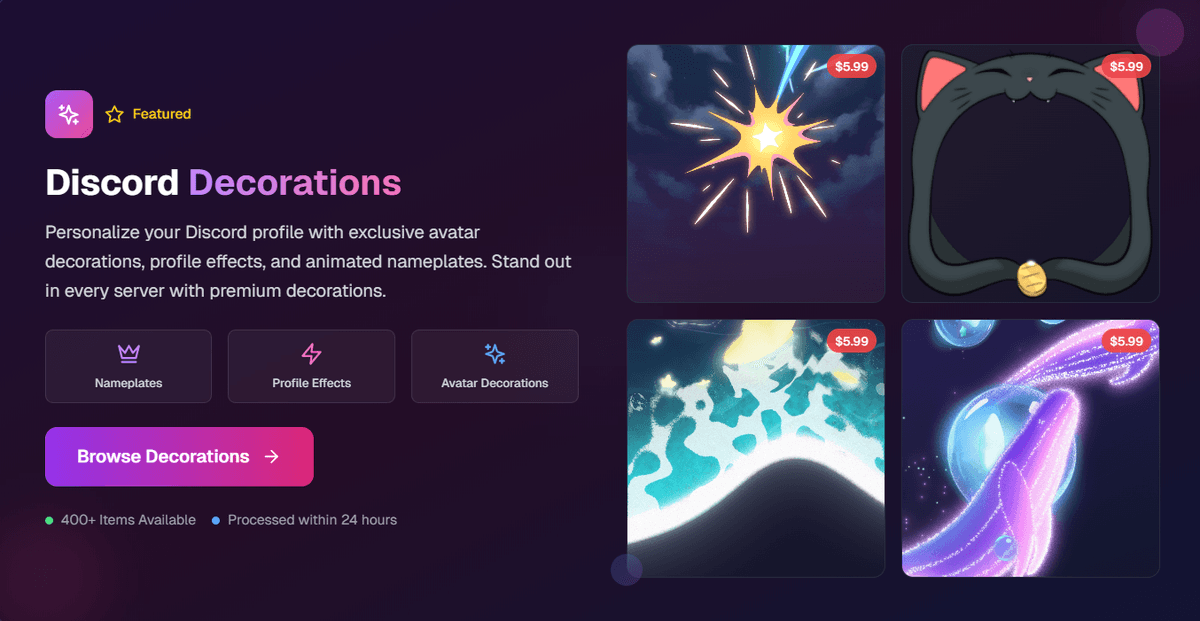
To get started:
- Sign in to NitroLoot and open the withdrawal page.
- Open Discord Decorations > Browse Decorations and look through the available categories.
- Pick an item and read its current coin cost and delivery instructions.
- Go to the earn section and select an eligible survey or offer. Check its requirements before starting.
- Once the coins are credited, redeem the reward and follow the claim instructions shown with it.
For example, if you want an avatar decoration, start with that category rather than earning toward Nitro and assuming it will include the same item. Likewise, a profile effect is its own reward; it will not appear in the avatar-decoration picker afterward.
Choose no-purchase tasks if your goal is to spend no money. Offers differ by account, country, device, and requirements. A game offer may take several sessions, while a survey may screen you out. There is no single number of tasks that works for everyone. Our beginner’s guide to NitroLoot offers explains how to compare those requirements.
Your NitroLoot balance is used on NitroLoot. It is not Discord Orbs or a universal Discord Shop balance. Check the actual reward listing instead of assuming you can spend your coins on anything Discord sells.
2. Discord Quests: Claim a Cosmetic Directly
A Quest is worth checking when you like the reward it already offers. Some ask you to play or stream a game; others ask you to watch a video. The Quest card tells you what to do and what you receive.
On desktop, open Discover > Quests and inspect the available cards. Look at the reward before accepting. An avatar-decoration reward gives you that specific decoration, while an Orbs reward gives you currency for a later Shop choice. A reward for another game will not necessarily add anything to your Discord profile.
Check three things: the completion requirement, the deadline, and the decoration’s access period. Complete the activity on the supported platform, then select Claim Reward. Discord says Discord-specific rewards are added to your account after you claim them. See the official Quests FAQ for the current flow.
A free Quest decoration may be temporary. Read its individual terms instead of assuming it works like a purchased Shop collectible. An acceptance deadline and an access expiration are different dates: finishing before the first does not necessarily mean you can use the reward forever.
If a Quest is unavailable or progress does not update, our Quest troubleshooting guide covers platform and eligibility checks. A missing offer does not mean there is a secret claim link somewhere else.
3. Discord Orbs: Choose an Eligible Shop Item
Orbs are useful when you prefer to choose a reward instead of taking a Quest’s specific decoration. Complete a Quest that awards Orbs, claim them, and browse the eligible items in Discord’s Shop.
The quickest check is the item listing: does it show an Orbs price? If it does, compare that price with your balance. If it only offers a money price, do not assume the item becomes Orbs-eligible when you earn more.
Discord’s Orbs FAQ explains what the currency can buy. Eligible catalog items and Orbs exclusives are available, but partner collaborations and gifts are among the exclusions. You cannot transfer Orbs from another account to cover a missing balance.
For a practical example, suppose you find two decorations you like. One has an Orbs price, while the other is a paid collaboration. Your existing balance helps with the first; earning more Orbs does not remove the second item’s restriction. Check eligibility before doing another round of Quests.
Our full Discord Orbs guide covers earning and redemption in detail. Here, the choice is whether an eligible item already matches the look you want.
4. Gifts, Giveaways, and Promotional Items
A friend can gift a supported Shop item, and a community may offer a cosmetic as a giveaway prize. This can cost the recipient nothing, but someone still pays for the gift. It is also a different kind of plan from earning toward a known reward: a giveaway is a chance, not a promised item.
Read what the prize actually is. A month of Nitro, a particular decoration, and a game reward are not interchangeable. For a cosmetic gift, confirm that it is the design you want and use Discord’s normal claim flow. Discord’s Shop FAQ linked above explains gifting, including where unsent gifts are stored.
For community giveaways, stick with an organizer you recognize and read the entry rules. Do not pay a claim fee or give anyone your Discord password, login token, or backup codes. A familiar giveaway bot does not, by itself, prove that the organizer or an external claim page is trustworthy.
Discord also publishes promotional collections and events. Some rewards may be free claims; others require Nitro or a purchase. Use the current announcement and item terms to tell which one you are looking at. Look for a live claim window: an old screenshot of a free reward does not mean it is still available.
Nitro-exclusive cosmetics can be useful if you already have a subscription, but they are subscription benefits rather than permanently owned free purchases. Do not subscribe solely because a preview looks free without checking how long access lasts.
How to Apply Your Decoration, Effect, or Nameplate
After claiming the reward on the correct Discord account, open User Settings > Profiles on desktop or Edit Profile on mobile. Find the control for the item you received, select it, then apply and save your changes.
| You received | Look for |
|---|---|
| Avatar decoration | Change Decoration or Avatar Decoration |
| Profile effect | Change Effect or Profile Effects |
| Nameplate | Change Nameplate or Nameplate |
| Profile Frame | Change Frames or Profile Frame |
Discord documents the controls in its Avatar Decorations, Profile Effects, Nameplates, and Profile Frames guides. Labels can differ between app versions.
If the item is missing, check the account you claimed it on and whether any delivery or claim step remains. If it appears in your collection but not on the profile, save the selection. If an effect looks static, Discord’s Reduced Motion setting can prevent its animation.
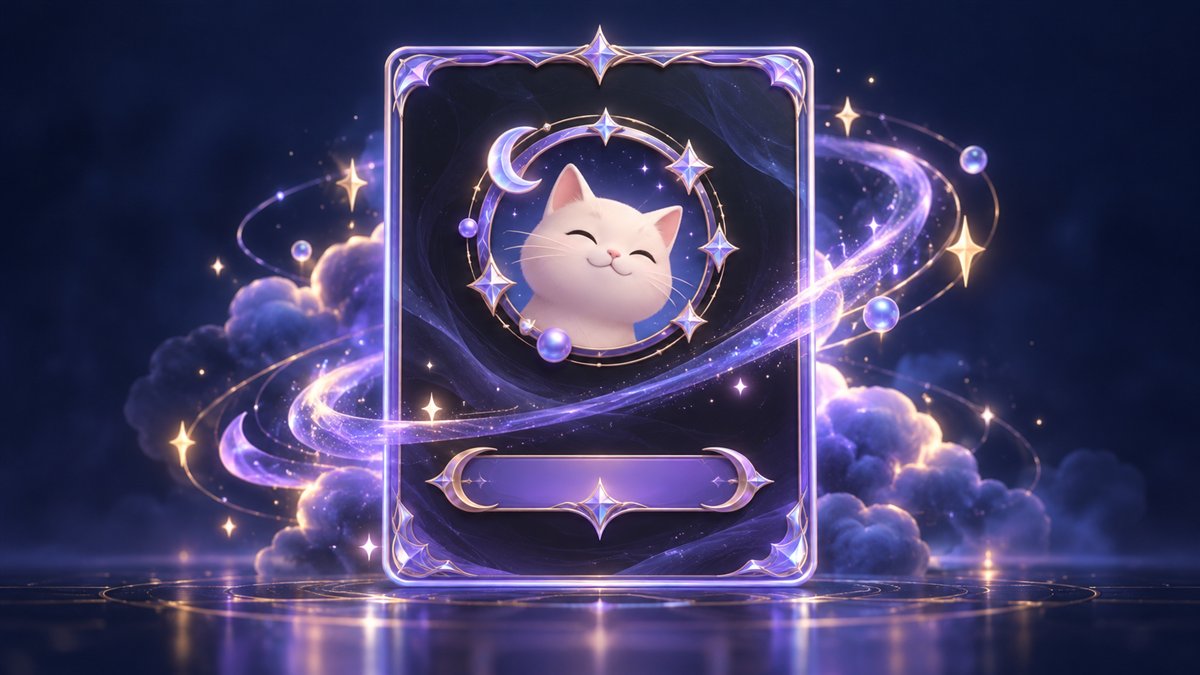
The cover illustration shows the different cosmetic layers conceptually. It is not a screenshot of an available bundle.
Common Questions Before You Start
Can I get any Discord decoration for free? No. NitroLoot offers its listed rewards, Quests offer their advertised prizes, and Orbs work on eligible items. A specific paid collaboration might be outside all of those routes.
Can I get a full-profile Frame through NitroLoot? The current Decoration Shop lists avatar decorations, effects, and nameplates, with no separate Frame category. If you mean the ring around the picture, browse avatar decorations. For a full-card border, check the exact Frame listing in Discord’s Shop.
Will the decoration disappear when Nitro ends? It depends on the item. Purchased collectibles and subscription-only cosmetics have different terms, and Quest decorations can have their own access periods. Check how the specific reward was granted.
Which method should I try first? If you want to work toward something from a reward catalog, browse NitroLoot first. If a Quest already has a decoration you love, do that Quest. If you have Orbs sitting in your balance, check eligible Shop items before taking on more tasks.
Pick one item you would actually use and confirm how you can get it. That is a better starting point than chasing every new cosmetic just because it is described as free.
Share this article
Related Articles
A Simple Daily Routine to Earn Rewards on NitroLoot
A practical daily routine for earning Discord Nitro, decorations, shop credits, and Visa gift cards on NitroLoot without burning out.
Discord Gift Cards: Where to Buy and How to Redeem
Learn where to buy Discord gift cards, how to redeem and spend the balance, fix common code errors, and earn toward Discord purchases safely with NitroLoot.