
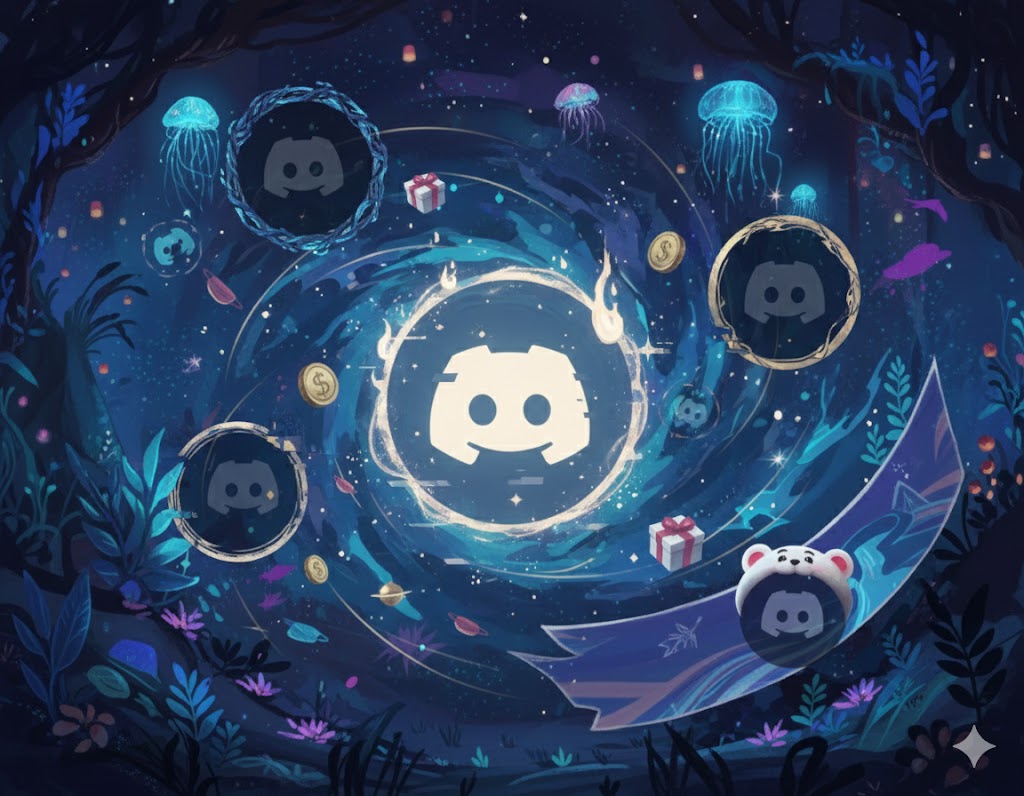
Discord Profile Decorations: Frames, Effects & More
Understand Discord Profile Frames, Avatar Decorations, Profile Effects, Nameplates, banners, Shop purchases, Orbs, and which customization features need Nitro.
Discord now has several profile cosmetics that sound almost interchangeable: Profile Frames, Avatar Decorations, Profile Effects, Nameplates, banners, and themes. They do different jobs, and buying one does not automatically unlock the others.
This guide explains what each Discord profile decoration changes, where it appears, how ownership works, and when Nitro actually matters. It also covers Profile Frames, the newest addition to the Discord Shop.
Discord Profile Decorations at a Glance
| Feature | What it changes | Typical way to get it | Do you keep it? |
|---|---|---|---|
| Profile Frame | Border around the whole profile card | Discord Shop | Purchased items stay in your collection |
| Avatar Decoration | Art or animation around the avatar | Shop, Orbs, Quest, or promotion | Depends on whether it was purchased or time-limited |
| Profile Effect | Animation when the profile opens | Shop, Orbs, Quest, or promotion | Depends on the offer |
| Nameplate | Styled artwork behind the display name | Discord Shop or selected rewards | Purchased items stay in your collection |
| Profile banner | Image or GIF at the top of a profile | Upload with full Nitro | It is a subscription feature, not a Shop collectible |
| Profile theme | Two profile colors | Customize with full Nitro | It is a subscription feature |
Always read the label in the Shop or Quest. Discord sells permanent collectibles, offers extended-use Quest rewards, and has Nitro-only items. They can look similar in your collection while having different access rules.
What Are Discord Profile Frames?
Profile Frames are decorative borders around the full profile. Unlike an Avatar Decoration, which stays close to your profile picture, a Profile Frame follows the outside of the profile card.
Frames appear on profile pop-outs and full profiles. Discord says some frames intentionally render a little differently across desktop, mobile, and different profile layouts. A larger profile with a bio or widgets may reveal extra parts of a frame’s artwork, so use the Shop preview before buying.
As of August 2, 2026, Profile Frames are in Nitro Early Access. Nitro members can shop the collection first, while non-members can still see frames on other profiles. Discord says wider access will come later.
Profile Frames are not currently eligible for Orbs. Discord’s July 2026 announcement says Orb purchasing is expected to roll out over roughly two months. Check the live Shop rather than assuming a particular frame or Orb price is available.
How to equip a Profile Frame
On desktop or browser:
- Open User Settings > Profiles.
- Choose the profile you want to edit.
- Under Profile Effect & Frame, select Change Frames.
- Pick a frame, select Apply, then save your changes.
On mobile, update Discord first. Tap your avatar, choose Edit Profile > Profile Frame, select the frame, apply it, and save.
If the frame does not appear, confirm that it is selected, save again, update the app, and restart Discord. A frame can also look less elaborate in a compact profile view without being broken.
Avatar Decorations vs Profile Frames
This is the easiest distinction:
- Avatar Decoration: wraps around the profile picture.
- Profile Frame: wraps around the profile card.
Avatar Decorations also appear beside your avatar in more compact places, including chat. Profile Frames are designed for the profile itself. You can combine the two, but preview the result because a detailed frame, animated avatar decoration, and busy banner can compete for attention.
Most Avatar Decorations purchased in the Shop are yours to keep and can be used without an ongoing Nitro subscription. Nitro still matters for member pricing, Nitro-only collections, and using different cosmetics through per-server profiles. The Shop should show any special requirement before purchase.
What Are Profile Effects?
Profile Effects are animations that play when someone opens your profile. They can add particles, lighting, motion, or a scene over the profile card.
A Profile Effect is not a permanent animation running everywhere your name appears. It is mainly experienced when the profile opens. That makes it more noticeable in conversations where people view your profile, but less visible than an Avatar Decoration in everyday chat.
Discord sells Profile Effects individually and in selected bundles. Some can also appear as Quest rewards or be eligible for Orbs. Availability changes, so the live Shop is the source of truth.
What Are Nameplates?
Nameplates place a styled design behind your display name in supported Discord surfaces. They are separate Shop collectibles, not the same thing as changing your display-name font or color.
Because a nameplate sits behind text, readability matters. Preview it with your actual display name, profile theme, and role colors. A design that looks great in the Shop thumbnail may feel crowded with a long username.
Banners, Themes, and Animated Avatars
Banners and profile themes are customization features included with full Nitro. They are not Shop collectibles you buy once and keep using after Nitro ends.
Full Nitro includes custom banner uploads, animated GIF avatars, profile themes, and per-server profiles. Nitro Basic focuses on smaller everyday perks such as custom emoji and stickers across servers, Super Reactions, 50 MB uploads, custom video backgrounds, and app icons. Nitro Basic does not include custom banners, animated avatars, profile themes, or per-server profiles.
That distinction helps with buying decisions. If you only want one permanent Shop collectible, you may not need a subscription. If you want an animated avatar, custom banner, different profiles per server, included boosts, and Shop member perks together, full Nitro is the relevant plan.
For a plan-by-plan comparison, read is Discord Nitro worth it? and our Nitro Basic guide.
How the Discord Shop Works
The Discord Shop contains Avatar Decorations, Profile Effects, Nameplates, Profile Frames, bundles, and rotating collections. It is available on desktop, browser, and mobile, although experiments such as the desktop Browse tab or Orbs Exclusives may not appear everywhere.
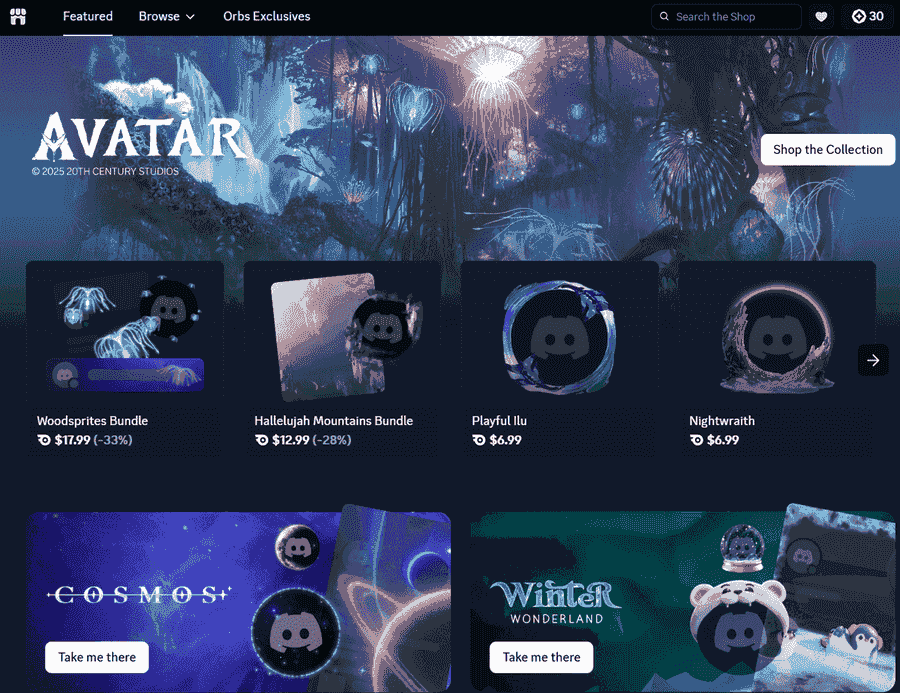
Before buying, check four things:
- Item type: a Profile Effect and a Profile Frame change different parts of the profile.
- Access label: look for Nitro Early Access, Nitro-exclusive, partner, or limited-use wording.
- Price and payment method: normal currency, a gift-card balance, and Orbs do not all work on every item.
- Preview: inspect the cosmetic with your avatar, banner, bio, and theme.
Purchased collectibles remain in your collection even when the Shop rotates. Discord states that Shop purchases are generally non-refundable, so the preview is not a formality.
Nitro members receive member pricing on eligible items and can access member-only collections. Some collections can remain visible in your collection but require an active Nitro membership to equip again. Read the item label rather than assuming every owned cosmetic works under the same rule.
Bundles and gifts
Some Shop bundles pair an Avatar Decoration with a Profile Effect. If you already own part of a bundle, Discord may mark it partially owned and make the bundle unavailable instead of applying the full bundle discount to the remaining item.
Shop items can also be gifted. An unclaimed Shop gift can be managed from User Settings > Gift Inventory. Send gifts privately: a claimable link posted in a public channel can reach somebody other than the intended person.
What Can You Buy With Discord Orbs?
Orbs are earned from eligible Discord Quests. The Shop accepts them for selected items in the main collection and for Orbs-exclusive rewards, which can include Nitro Credits, Avatar Decorations, Profile Effects, and the Orbs badge.
Orbs cannot be used for every collectible. Discord excludes gifts, partner-branded items, recurring Nitro, and Server Boost subscriptions. Profile Frames are also not Orb-eligible at the time of this update, though Discord has announced a staged rollout.
Our Discord Orbs guide explains where Quests appear and how the reward flow works. Always check the Shop before grinding toward one item, because selection and availability can change.
Can You Get Discord Decorations for Free?
Yes, but not every method gives permanent ownership or lets you choose any item.
- Complete eligible Quests that award a cosmetic or Orbs.
- Spend earned Orbs on an eligible Shop item.
- Claim an official limited promotion while it is active.
- Receive a gift from somebody you trust.
- Earn reward value through a legitimate platform and use the available reward toward your goal.
Avoid decoration generators, modified clients, token tools, and “unlock all cosmetics” extensions. A cosmetic is not worth giving unknown software access to your Discord account.
For a realistic method comparison, see how to get free Discord profile decorations.
How to Build a Profile That Looks Good
Owning more cosmetics does not automatically produce a better profile. Start with one focal point:
- Use a detailed Avatar Decoration with a quieter Profile Frame.
- Match the banner and theme colors to the decoration.
- Keep the nameplate readable behind your display name.
- Preview on both mobile and desktop.
- Open the compact pop-out and the full profile before settling on a combination.
If you are sizing a new avatar or banner, our Discord image sizes guide includes practical dimensions and cropping advice.
Frequently Asked Questions
Do you need Nitro to use Discord Profile Frames?
Profile Frames are in Nitro Early Access as of August 2, 2026. Nitro members can buy them first, and all users can see them. Discord plans wider availability later.
Can you keep an Avatar Decoration after Nitro ends?
Most decorations purchased outright in the Shop stay in your collection and can be used without Nitro. Nitro-only collections and temporary Quest rewards can have different rules, so check the item’s label.
Are Profile Frames and Profile Effects the same?
No. A frame is artwork around the profile card. An effect is an animation that plays when the profile opens.
Does Nitro Basic include an animated avatar or banner?
No. Animated avatars and custom banner uploads are full Nitro features. Nitro Basic includes a smaller set of perks such as cross-server emoji and stickers, Super Reactions, and 50 MB uploads.
Can you refund a Discord Profile Frame?
Discord says Profile Frame purchases are non-refundable. Preview the frame on your actual profile before buying.
Sources Checked
Reviewed on August 2, 2026:
Share this article
Related Articles
Discord Clips Guide: Save and Share Game Moments
Learn how Discord Clips works, who can use it, how to save game moments, edit clips, share them, and avoid common setup mistakes.
How to Make Your Discord Profile Festive for Christmas
Give your Discord profile and server a warm Christmas makeover with festive avatars, banners, themes, and community ideas that feel cozy!